
Phantom: Trading Wallet
Phantom Technologies, Inc.Finance
4.42.42K Reviews
- Version
- 26.38.1
- Installs
- 10.00M
- Age Rating
- Everyone
Screenshots
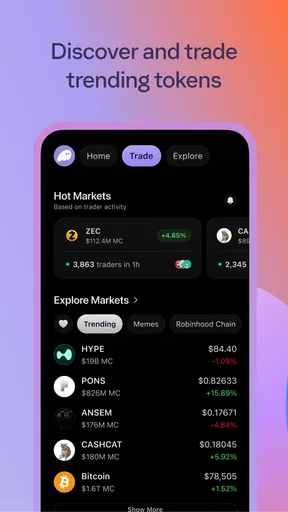
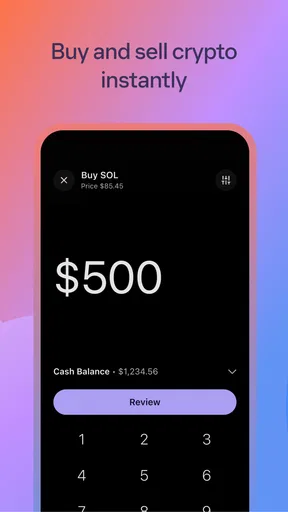
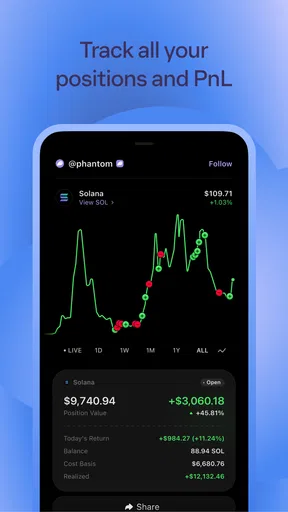
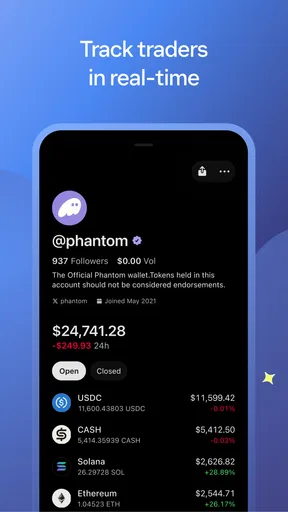
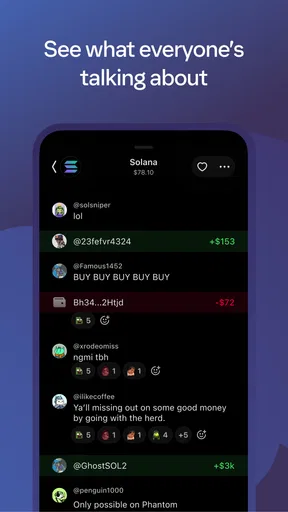
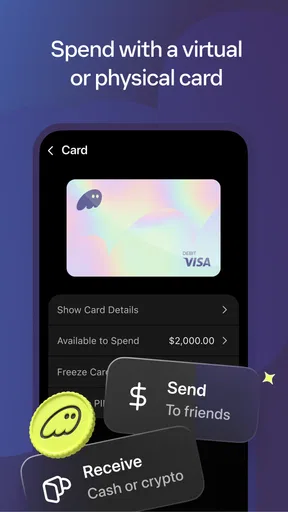
Our Review of Phantom: Trading Wallet
 Analysis by Appyee
I found Phantom most interesting when I stopped treating it like a simple app for buying digital assets and started using it as a day-to-day wallet. Its purpose is straightforward: it gives you a place to manage SOL, BTC, ETH, and a large range of tokens from a phone. In practice, the quality of the experience depends less on tapping the right button and more on understanding what a self-custody wallet expects from you. That is where new users usually get stuck.
This is a free finance app from Phantom Technologies, Inc., rated for Everyone. It has built a strong audience, with an average rating of 4.5 from roughly 153 thousand ratings and more than 10 million installs. Those figures suggest that it is not a niche experiment, but popularity should not be confused with protection from user mistakes. The wallet puts important decisions in your hands, so I would recommend approaching it calmly rather than installing it and immediately moving a large balance.
Getting past the first points of friction
I find the first few wallet steps easier to manage when I separate setup from trading: I would secure recovery information, learn where account and network details appear, and only then try a small transfer. That gives me a calmer baseline for spotting an ordinary setup mistake without exposing a larger balance. Once those basics are clear, the next useful skill is working out whether an odd transaction display reflects a real problem or just a delay.
Why the first wallet screen can feel more serious than expected
The first thing I would explain to a friend is that a wallet such as this is not the same as a traditional banking app. A bank account normally gives you a familiar recovery route through customer support and identity checks. A self-custody wallet makes the recovery information central to your responsibility. That distinction affects every step, from setup to sending funds.
When creating or restoring a wallet, I would avoid rushing through the screens while distracted. Use a private place, make sure nobody can see the recovery information, and never copy it into a chat, email draft, screenshot folder, or notes app that syncs automatically. The most useful setup habit is also the least exciting: write the recovery information down carefully and store it somewhere physically secure. If you lose access to the device, that information is what matters most.
I would also make sure I am using the genuine application before entering anything sensitive. Search results and advertisements can sometimes make similar-looking products appear together, so I would check that the developer is shown as Phantom Technologies, Inc. and that the app details match the expected product. This is a small check, but it is more valuable than trying to diagnose a problem after entering wallet credentials into the wrong place.
Checks I would make before adding money
Before transferring anything valuable, I would create a small test workflow. First, I would confirm that the wallet address displayed for the selected asset is the one I intend to use. Then I would compare the first and last characters after pasting it into the sending service. I would not rely only on the contact name or a previous transaction, because a copied address can be replaced or selected incorrectly.
The network matters just as much as the address. A token can have similar names across different networks, while the receiving wallet may support only a particular version of that asset. In Phantom, I would select the exact asset and network shown in the wallet before requesting a transfer. If an exchange asks me to choose a network, I would not guess based on the cheapest-looking option. I would select the one that matches the wallet’s receiving details.
For a first transfer, I prefer sending a small amount and waiting for it to appear before moving the rest. This is not a sign that the app is unreliable; it is a sensible way to catch a wrong network, an incorrect address, or an exchange-side delay while the possible loss is limited. The same approach works when receiving funds from a friend: test the route first, then repeat it once the result is clear.
What the version and device requirements mean in practice
The current version is 26.27.2, and the app supports Android 7.0 or later. I would keep the operating system and the application updated through the official store, especially if a screen behaves strangely or a transaction status does not refresh correctly. An older phone may technically meet the minimum requirement while still offering a less comfortable experience if it has very little free storage, aggressive battery restrictions, or an unstable connection.
That does not mean every problem requires a new phone. I would first restart the app, check the connection, and make sure the device clock is set automatically. A badly incorrect clock can interfere with secure connections and make ordinary network problems look more mysterious. I would also avoid switching repeatedly between Wi-Fi and mobile data while confirming a transaction, because an interrupted connection can leave the display behind the actual network status.
Understanding the wallet before using advanced actions
The app is most useful when I treat each action as a separate decision. Buying an asset, receiving one from another wallet, swapping one token for another, and sending funds are not interchangeable workflows. They can involve different networks, balances, and confirmation steps. I would open the asset page first, read the destination and network details, and only then enter the amount.
A practical habit is to keep a small amount of the relevant network asset available for transaction costs when needed. A token balance alone may not be enough to complete an on-chain action if the network requires its own asset to pay the fee. This is one of the most common reasons a user thinks a swap or transfer is broken when the real issue is that the wallet lacks the required fee balance.
I would also separate experimentation from savings. If I wanted to explore unfamiliar tokens, I would use an amount I could genuinely afford to lose and keep long-term holdings away from impulsive trades. The presence of a convenient mobile interface can make a risky decision feel harmlessly quick. Phantom makes access easier, but it does not make an asset safe or a transaction reversible.
Recovering when a transaction or balance looks wrong
When a balance or transaction seems off, I would resist repeating the action until I know which stage is involved: the wallet display, the network, or an outside payment or exchange service. Keeping the transaction reference and checking the selected account and network can narrow that down without risking a duplicate transfer. The same careful approach helps with swaps and purchases, where a failed screen does not always mean the underlying funds are lost.
When the balance has not updated
A delayed balance does not automatically mean the funds disappeared. I would begin by checking whether the transaction was actually submitted, rather than repeatedly pressing the same action. If it was submitted, I would look for its status in the relevant transaction record and compare the destination address and asset. Refreshing once, closing and reopening the app, and checking the connection are reasonable first steps.
If the transaction is still pending, the network may be busy or the sending service may not have completed its own processing. In that situation, creating another transfer can make the situation harder to understand. I would wait until I know whether the first attempt succeeded. If the transaction failed, I would read the displayed error carefully and check the available fee balance before trying again.
When funds arrive but do not appear under the expected token, I would check whether I am viewing the correct account and network. I would not immediately add a random token manually just because its name looks similar. Token names and symbols are not reliable proof of identity. The contract or asset details should match the source from which the funds came, and I would verify that information independently before taking further action.
When a swap or purchase does not complete
A swap can fail for reasons that are not related to the phone. The quoted amount may change, the network fee may be unavailable, or the selected asset may not have enough liquidity for the requested amount. I would avoid treating a failed attempt as an invitation to increase the amount or repeat the action rapidly. First, I would confirm the asset, network, fee balance, and final confirmation screen.
For purchases, I would remember that the wallet interface and the payment or exchange process may involve different stages. A card or bank payment can show one status while the asset delivery is still processing elsewhere. If money has left a payment service but the wallet has not updated, I would keep the receipt or transaction reference and contact the service that processed the payment, rather than assuming the wallet can reverse it.
The most important recovery rule is to distrust urgent messages. Nobody helping with a wallet should need my recovery phrase or private keys. If a person or message claims that I must “validate,” “synchronize,” or “unlock” the wallet by entering those details on another page, I would stop. I would use only the application’s normal support path and never share secret recovery information, regardless of how convincing the request sounds.
When restoring access on another device
If I needed to restore the wallet on a replacement phone, I would download the official app, choose the restoration route, and enter the recovery information privately. I would check every word and its order instead of relying on predictive text or a password manager that might insert an old entry. After restoration, I would confirm that the expected account and assets are present before changing anything.
If the restored wallet looks empty, I would not create a new wallet immediately and conclude that the funds are gone. I would first check whether I restored the correct recovery information and whether the expected account is selected. A different wallet or account can look identical at first glance while showing a different address. Comparing the receiving address with a trusted previous record is a safer diagnostic step.
This is also why I would keep a private record of the public receiving address and the networks I use, without recording secret credentials beside it. That information helps me identify the correct account during recovery while keeping the recovery phrase separate. It is a simple organizational improvement that can save considerable confusion when several wallets or accounts are involved.
When the app is not the cause
It is easy to blame Phantom when an exchange has not released a withdrawal, a blockchain is congested, or a token’s value has changed sharply. The app can display wallet information, but it cannot make an exchange approve a withdrawal or make an external network confirm instantly. Before reinstalling anything, I would identify which stage failed: payment, exchange withdrawal, network confirmation, or wallet display.
Reinstalling is particularly poor advice when the user has not secured the recovery information. Removing the app does not solve a wrong address, an unsupported network, or a pending external transfer. I would only consider reinstalling after confirming that I can restore the wallet safely and after checking whether the issue is limited to the local installation.
There is also a human factor. If I approve a malicious transaction, the wallet may be working exactly as designed while the result is still harmful. I would read permission and transaction details, avoid unknown links, and keep experimental activity separate from funds intended for bills or long-term holding. Convenience is valuable, but careful review matters more than speed.
Who will appreciate this wallet most
I think Phantom suits someone who wants direct control over a crypto wallet and expects to interact with SOL, BTC, ETH, and many tokens from a mobile device. It is a reasonable choice for a person who is willing to learn the difference between a network, an asset, an address, and a transaction fee. The free price also makes it easy to try without committing to a subscription.
A realistic everyday use case would be receiving a small payment from a friend, checking that it arrived, and later sending part of it to another wallet. I would use the app for that kind of focused task, keeping the amount modest and verifying the address each time. It can also be useful for someone who wants a personal wallet rather than leaving every asset on an exchange.
I would be more cautious recommending it to someone who expects bank-style recovery, automatic fraud reimbursement, or a support agent to undo a mistaken transfer. It is also not the right first tool for a person who cannot safely store recovery information or who is likely to approve unfamiliar prompts without reading them. In those cases, a regulated custodial service may feel more forgiving, even though it introduces its own dependence on an account provider.
How it compares with the usual alternatives
Compared with keeping assets on a centralized exchange, Phantom gives me more direct control but also more responsibility. An exchange may offer a familiar login and account recovery process, while a self-custody wallet makes address management and recovery security my problem. I prefer the wallet when I need to interact directly with supported networks; I prefer an exchange when I am only buying and holding and value account-based recovery more than direct control.
Compared with a hardware wallet, the phone is faster for small, frequent actions, but a dedicated hardware device can be a better fit for larger long-term holdings. Phantom can serve as a convenient working wallet, while a hardware wallet may be more appropriate for funds I rarely move. The choice is not simply about which product is better; it is about whether convenience or isolation matters more for that particular balance.
Compared with a basic single-network wallet, Phantom’s support for several major assets and thousands of tokens is useful, but it also creates more room for confusion. More choices mean more opportunities to select the wrong network or misunderstand a token. I would rather use its breadth deliberately than assume every asset behaves the same way.
My practical verdict
After using it as a working wallet, I see Phantom as a capable, approachable entry point into self-custody, provided the user accepts the responsibility that comes with it. The interface makes common wallet tasks accessible, and its broad asset focus is more useful than a wallet limited to one narrow purpose. Its large user base and 4.5 average rating are reassuring signs of adoption, but they do not replace careful setup or sensible transaction habits.
My recommendation is to begin with a small test transfer, confirm the network every time, keep fee funds available, and store recovery information offline and privately. If something goes wrong, identify the failed stage before reinstalling or repeating the transaction. Those habits address more real-world problems than simply learning where each button is.
Phantom is free and suitable for Everyone in its store classification, but “easy to install” should not be mistaken for “risk-free to use.” I would choose it for mobile access, direct control, and regular interaction with supported crypto assets. I would choose a custodial service for maximum account-recovery convenience, or a hardware wallet for stronger separation of long-term funds. For readers who understand that trade-off, the best reason to use Phantom is its practical balance between accessibility and self-custody.
Privacy and Permissions
See what permissions an app requests and how it handles your data.
- Location
- approximate location (network-based), precise location (GPS and network-based)
- Photos/Media/Files
- read the contents of your USB storage, modify or delete the contents of your USB storage
- Storage
- read the contents of your USB storage, modify or delete the contents of your USB storage
- Camera
- take pictures and videos
- Microphone
- record audio
- Wi-Fi connection information
- view Wi-Fi connections
- Other
- view network connections, pair with Bluetooth devices, access Bluetooth settings, full network access, change your audio settings, control Near Field Communication, run at startup, draw over other apps, control vibration, prevent device from sleeping, Google Play license check, read Google service configuration
Verdict
Strengths of Phantom: Trading Wallet
- Supports multiple blockchain networks in one wallet
- Built-in token swaps make exchanging assets convenient
- NFT support lets users manage collectibles alongside crypto
- Biometric security can simplify access on compatible devices
- Clean interface is approachable for newer crypto users
Limitations of Phantom: Trading Wallet
- Transaction fees vary by network and are not always easy to predict
- Recovery phrase loss can permanently prevent access to funds
- Some advanced trading tools may feel limited for experienced users
- Phishing links and fake extensions remain a serious security risk
- Availability of certain features may differ by region or network
Similar Picks in This Category
View All
Google Wallet
Google LLC4.3

Airtel: Recharge, Bank & Loans
Airtel4.0

PayPal - Pay, Send, Save
PayPal Mobile4.2

DANA Indonesia Digital Wallet
PT Espay Debit Indonesia Koe4.5

Binance: Buy Bitcoin & Crypto
Binance Inc.4.8

Cash App
Block, Inc.4.7
Frequently Asked Questions
What is Phantom: Trading Wallet, and what can I use it for?
Phantom is a non-custodial cryptocurrency wallet designed for managing digital assets, interacting with blockchain applications, and trading supported tokens. It is widely associated with the Solana ecosystem, while also supporting additional networks and assets depending on the current app version. You can use it to send and receive tokens, connect to decentralized applications, view collectibles, and manage your portfolio from a mobile device.
Is Phantom: Trading Wallet safe to use on Android or iOS?
Phantom includes security features such as encrypted wallet storage, biometric or device authentication, transaction previews, and recovery through a secret recovery phrase. However, it is still a self-custody wallet, meaning you are responsible for protecting your credentials. Never share your recovery phrase or private keys, and avoid entering them into websites, messages, or applications claiming to provide support.
Does Phantom charge fees for sending tokens or trading?
Creating and using the Phantom app is generally free, but blockchain transactions require network fees that are paid to the relevant blockchain rather than to Phantom. Additional costs may apply when swapping tokens, using decentralized applications, or purchasing cryptocurrency through an integrated third-party provider. Fees can change based on network congestion, liquidity, exchange rates, and the service selected, so review the transaction details carefully.
Can I buy cryptocurrency directly through Phantom: Trading Wallet?
Phantom may allow users in supported regions to purchase cryptocurrency through integrated third-party payment providers using methods such as cards, bank transfers, or other local options. Availability depends on your country, identity verification requirements, payment method, and the asset being purchased. Provider fees and exchange rates may differ, so compare the final amount and confirm that the transaction is supported before completing a purchase.
What happens if I lose my Phantom recovery phrase or send funds to the wrong address?
Because Phantom is a self-custody wallet, the recovery phrase is the main way to restore access if you lose your device or reinstall the app. Phantom generally cannot recover a wallet when the phrase is lost. Blockchain transfers are usually irreversible, so funds sent to an incorrect or unsupported address may not be recoverable. Write the phrase down securely, keep it offline, and verify every address before confirming a transaction.
